
Freelance Expense Tracking: Audit Ready, Faster Accountant Handoffs
Freelance expense records arranged for an accountant handoff. Image: 2Fin (ai2fin.com).
Use a dedicated business account, capture every receipt at the source, categorize weekly, reconcile monthly, and export tax-ready reports. The IRS recommends a business checking account as the base of your books, and the same habit works for freelancers in most countries. A repeatable routine beats a perfect one, and 2Fin automates most of it.
Last reviewed October 2026. General information, not tax or financial advice.
TL;DR
- A bank feed does not prove a deduction; keep documents showing the payee, date, amount, and business purpose for each claim.
- The IRS generally requires records for 3 to 7 years, while Australia sets a baseline of five years; check local rules for exceptions.
- For mixed use items, document the business share and calculation; laptops or cameras may be written off over time, so confirm treatment with an accountant.
- Send accountants CSV transaction files, monthly PDF receipt bundles, and job by job reports, alongside bank statements and notes explaining personal use splits.
Why does consistent expense tracking matter for freelancers?
Tracking is where your tax savings come from. An expense you cannot prove is an expense you cannot safely deduct, and one you forgot to log is money you overpaid in tax. Tax authorities expect you to substantiate what you claim (the ATO’s term is substantiation), which is why a steady habit calms the whole filing season. Without one, you rebuild a year from bank statements in a panic.
Official guidance is blunt: expenses must be ordinary and necessary to be deductible, and taxpayers should be ready to produce receipts and documentation for every claim. A habit of logging as you go is the cheapest insurance you can buy.
Tracking also feeds your billing. When costs are tagged to a client, you see which jobs earn their keep and which quietly lose money, so your next quote reflects real numbers. For a deeper look, see what freelancers can keep after tax, the freelancer tax deductions guide and bookkeeping for freelancers.
What records should you keep, and for how long?
Keep anything that proves income or an expense, in paper or digital form. The IRS says any recordkeeping system works if it clearly shows income and expenses, and software must meet the same standard as hard-copy books.
- Receipts for every purchase, including digital ones
- Invoices you issue and invoices you receive
- Bank and credit card statements
- Canceled checks
- Notes or diaries for small cash expenses
Each supporting document should show the payee, the date, the amount, and the business purpose, as the IRS guidance in Publication 583 describes. A bank feed alone does not substantiate a claim, so the underlying document still matters.
Retention depends on where you file. The IRS says to keep records long enough to support your return, generally 3–7 years depending on the situation. In Australia, the ATO sets a five-year baseline and some transactions need longer. Check your own authority's page.
How do you set up a simple expense-tracking system you can start today?
Five steps cover the whole loop. Each one is small, and together they remove the backlog that makes tracking feel heavy.
- Open a dedicated business account and card. Deposit all business income there and pay business costs from it.
- Capture each receipt the moment you buy. Photograph it or forward the email, and tag it to a client or project.
- Categorize weekly, or after each job. A short session on a fixed day beats a lengthy cleanup in April.
- Reconcile monthly. Match every bank line to a receipt or invoice and fix anything unexplained.
- Export a tax-ready report. Save a clean summary each month so year-end is a download, not a project.
Pro Tip: Put the weekly categorization slot in your calendar as a recurring block. A habit tied to a specific day survives busy weeks far better than good intentions.
2Fin
The whole system, done for you in four steps
1
Upload it all
Connect your bank or drop in statements and receipts. Fin lines every transaction up with its receipt.
2
Answer a few questions
Fin asks only what it cannot tell: business or personal, which client or job.
3
Review in one place
Your weekly slot becomes a quick review. Fix a category once and the rule sticks.
4
Get your reports ready
Tax summaries and accountant-ready exports are built from the same records, ready any day.
Start your system free
The full path from bank import to tax-ready books is in the flow explainer.
What should you look for in an expense-tracking app?
Judge a tool by how much manual work it removes and how cleanly it hands data to your accountant. Features that look impressive in a demo matter less than the ones you use every week.
- Receipt capture and auto-categorization, to help sort expenses
- Transaction tracking, to help organize statement lines and receipts
- Ways to organize costs, such as by client or project
- Exports accountants expect, such as CSV files, spreadsheet destinations, and accounting-software imports
- Security and backups, since these files hold your financial history
- A pricing model that fits how many transactions you really process
Skip tools that only record spending without letting you attach a document. As the IRS notes, an automated feed alone is not enough for audit substantiation. The features page shows how receipts, sorting and tax tools fit together in one place.
What are the best ways to capture and preserve receipts?
Capture at the moment of purchase, because paper fades and inboxes bury things. A two-step habit works: snap it, then tag it.
- Photograph receipts flat, in good light, with all four edges and the total visible so optical character recognition (OCR) reads them accurately
- Forward emailed receipts and invoices to a dedicated address or upload folder instead of leaving them in your inbox
- Name files consistently, for example date, vendor, and project, so you can find them in seconds
- Back up to cloud storage and keep a second copy somewhere separate
- Keep paper originals for a short period after scanning if your authority requires originals
Pro Tip: Photograph a receipt before you leave the counter. Thermal paper often fades within months, and a faded receipt proves nothing.
For small cash purchases, the ATO advises keeping receipts, tax invoices, credit card vouchers, and diaries. Where a digital mandate applies, such as the UK's Making Tax Digital, you can create digital records at the category level and still stay compliant.
How do you categorize expenses, and which ones do freelancers commonly deduct?
Use a short, stable list of categories and stick to it. Consistent labels make reports readable and make your accountant's job faster. Common freelancer categories include:
- Home office costs and utilities, in proportion to business use
- Travel and vehicle expenses for client work
- Software and subscriptions
- Supplies and small equipment
- Marketing and advertising
- Subcontractors and professional fees
- Training and courses
The UK cash basis guidance groups allowable costs into running costs, admin costs, training, equipment, and vehicle or travel costs, and it also lists examples that are not allowable. Treat it as a useful checklist even if you file elsewhere.
Mixed-use items need a record of the split. The ATO says that when an item has private use, you must keep records showing how the private portion was calculated.
Write down the business-use percentage and how you reached it (the ATO calls this apportionment), such as a usage log for a phone, a floor-area calculation for a home office, or a logbook for a car. Cents per kilometre is the simpler option when it applies. Large purchases like a laptop or camera may be treated as capital assets and written off over time rather than all at once, so ask your accountant before assuming an immediate deduction. Sole traders face the same questions, and the guide to business versus personal splits walks through examples; how to split transactions covers the mechanics.
Not sure what your kind of work can claim? Pick it here and get a checklist (Australia):
Find the deductions for your kind of work
What does a month-end bookkeeping checklist look like?
Set aside one short session at the end of each month. This is the routine that turns weekly habits into clean, audit-ready books.
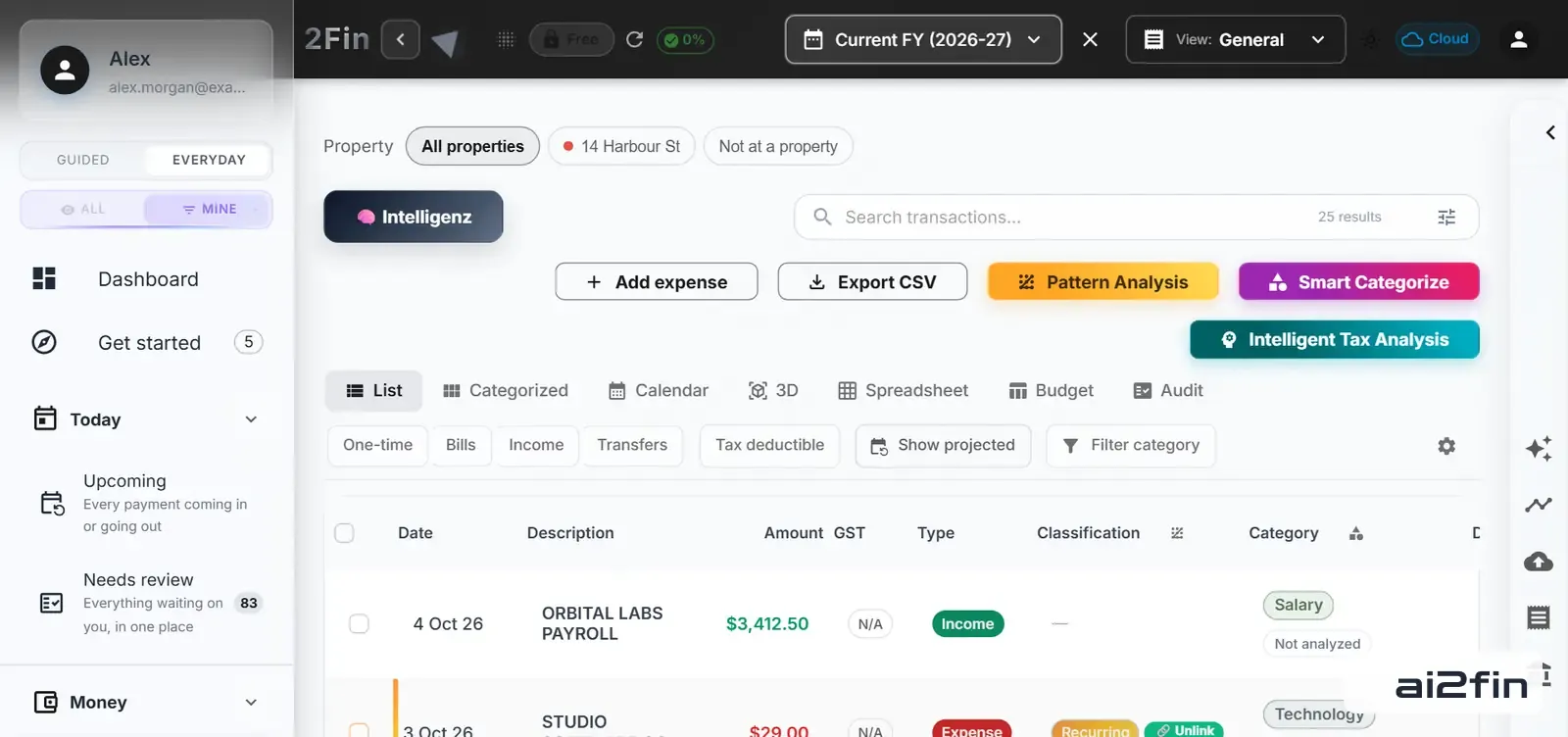
2Fin All Transactions view. Image: 2Fin (ai2fin.com).
In 2Fin the month-end list is short: imported transactions with their category beside them, anything unsure flagged, receipts attached. See your own month in 2Fin.
- Reconcile every bank and credit card statement against your records, matching each line to a receipt or invoice.
- Clear the uncategorized pile and confirm client and project tags are correct.
- Check for missing documents and chase any invoice or receipt you never captured.
- Review mixed-use items and confirm the business percentage still holds.
- Export the reconciled reports and bundle the supporting receipts for review.
Reconciliation is not just good hygiene. The ATO treats reconciling bank transactions as legally important for audit readiness, and a summary system is acceptable only when originals are kept and properly reconciled.
How do exports and accountant handoffs work?
Accountants bill by the hour, so tidy files cost you less. Hand over data they can import, not a shoebox of photos.
- CSV exports of income and expense transactions, with category and tag columns
- Accounting-software imports when your accountant uses a specific package
- PDF bundles of receipts, grouped by month or by job
- Job-by-job reports, so they can see the profitability and deductions of each project
Include your bank statements, your invoice list, and a short note on any mixed-use splits. The cost tracking feature helps organize costs, and you can send data straight to Google Sheets for anyone who prefers a spreadsheet. What your accountant needs at tax time is a useful checklist to compare against. To see where the year is heading, try the income tax and take-home calculator, the US version or the UK version.
What expense-tracking mistakes do freelancers make, and how do you fix them?
Most problems come from three habits, and each has a quick fix.
- Mixing personal and business spending. Open a separate account so every transaction there has a business reason.
- Relying only on bank feeds. A feed shows that money moved, not why. Attach the receipt or invoice to each significant expense.
- Skipping reconciliation. Errors compound quietly. A short monthly check catches duplicates, missed income, and wrong categories while you still remember the details.
A fourth trap is waiting for tax season to start. Backlogs grow faster than anyone expects, and the longer a purchase sits unrecorded, the harder it is to remember its purpose.
How does 2Fin support freelancers in practice?
Fin does the routine described above. It categorizes transactions as they arrive, accepts receipt uploads, finds tax deductions, and produces accountant-ready exports. It also connects to Xero, Google Sheets, Excel, Notion and Airtable, so your data fits the tools you already use. The guide to maximizing deductions with intelligent finance software explains the approach in more depth.
Two small scenarios show where the time comes back. If you run several client projects, job-by-job costing shows what each one really cost you. If you share a laptop or phone with personal use, Fin helps you split the business portion so the record stays defensible.
Design for the handoff, not for the perfect app
Most advice on this topic fixates on finding the perfect app. That is the wrong starting point. The research behind this article points one way: tax authorities care about documents, dates, purposes, and consistency, not about which tool produced them. A mediocre system run weekly beats a brilliant one abandoned in March.
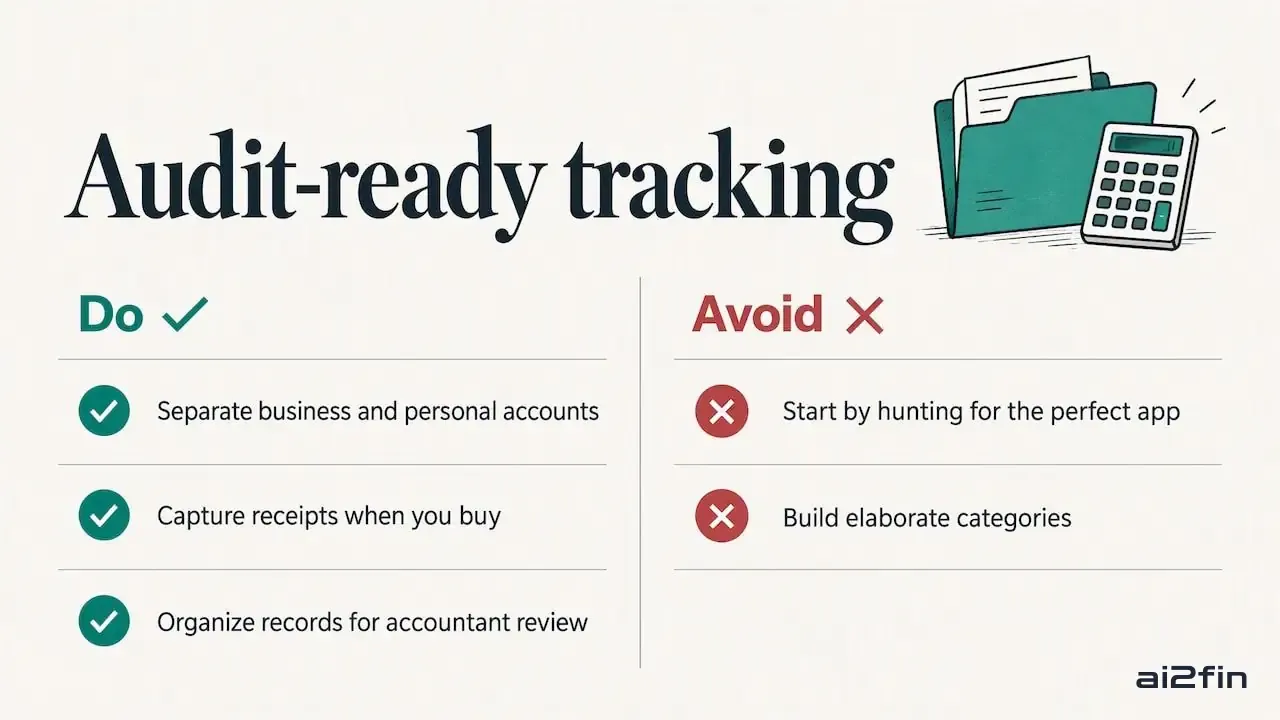
Audit-ready expense tracking and accountant handoffs: overview. Image: 2Fin (ai2fin.com).
What deserves your attention first is the boring foundation: a separate account and a habit of capturing receipts when you buy. What is overrated is elaborate categorization. A stable set of categories is plenty, and spending time designing an elaborate system only makes it harder to maintain.
The other underrated idea is designing for the handoff. If your records are organized so an accountant can review them quickly, they are almost certainly organized well enough for an audit too. Tracking built around that end goal stays simple, and automation is simply the most reliable way to keep it that way.
Try 2Fin and automate the system you just learned
2Fin
Receipts in, reports out
Fin handles the capture, sorting and reporting so the routine takes minutes. Start free, no card needed.
Start free
- Save time with automatic categorization and receipt uploads
- Download tax-ready exports for your accountant
- Keep every deduction, with the proof beside it
Visit 2Fin to see how it fits your workflow.
Stay updated with AI2Fin
Get the latest insights on AI-powered financial management delivered to your inbox.
